
Comparison · Updated November 2026
Kuycon G27P vs BenQ MA270U: 5K Retina or matte 4K for your Mac?
The BenQ MA270U is a 27-inch 4K monitor designed for MacBook users, with a matte screen, speakers and Mac colour tuning, at a low price. The Kuycon G27P costs more but runs true 5K at the Retina density macOS is built for, with a deeper contrast panel. Here is what each one does better.
The short answer
Sharpness against price
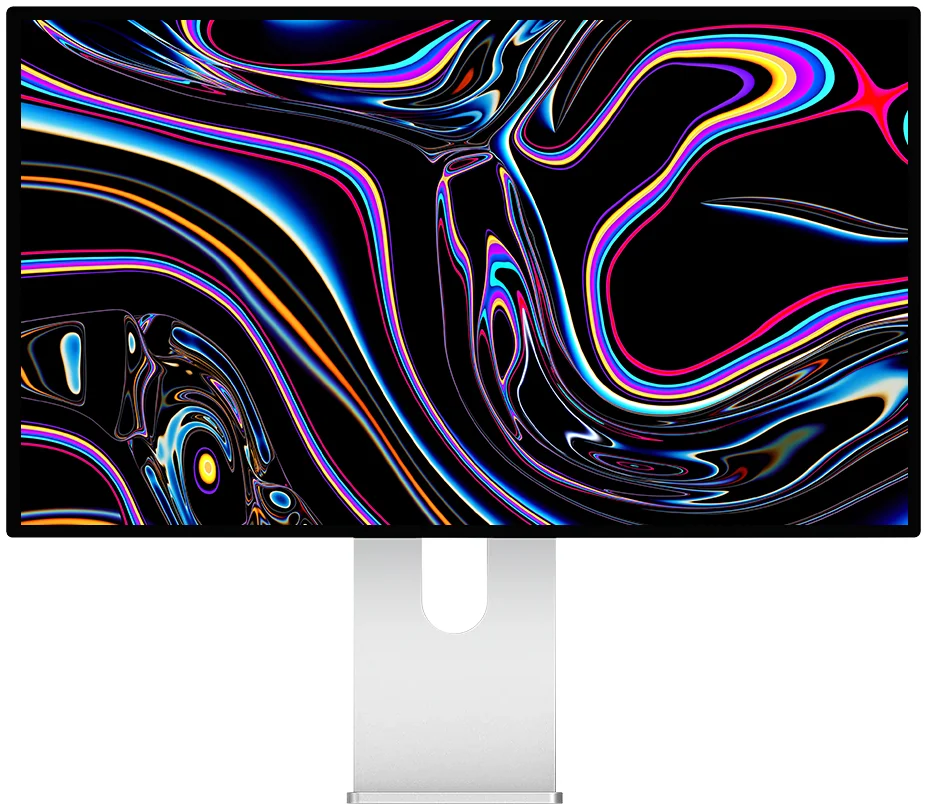
Kuycon G27P
27" · 5K · IPS Black · 75 Hz
From CHF879.90 · BenQ MA270U: 499 €
On a Mac, the G27P shows text and interfaces at 218 ppi, the density of Apple's own 27-inch screens, against 163 ppi on the 4K MA270U. It also has a 2000:1 IPS Black panel, 600 nits and 75 Hz. The MA270U answers with a much lower price, a matte finish, built-in speakers and a height-adjustable stand.
View the G27PSpec by spec
Kuycon G27P vs BenQ MA270U
Two 27-inch IPS monitors aimed at Mac users. The gap is resolution, contrast, brightness and price.
| Kuycon G27P | BenQ MA270Umanufacturer data | |
|---|---|---|
| Resolution | 5120 × 2880 (5K) | 3840 × 2160 (4K) |
| Pixel density | 218 ppi | 163 ppi |
| Panel | IPS Black, 2000:1 | IPS, 1200:1 |
| Brightness | 600 nits | 400 nits |
| Refresh rate | 75 Hz | 60 Hz |
| Screen finish | Glossy, anti-reflective | Matte (Nano Matte) |
| USB-C charging | 100 W | 90 W |
| Other inputs | DisplayPort 1.4, HDMI 2.1 | 2 × HDMI 2.0 |
| Speakers | No | 2 × 3 W |
| Stand | Tilt, 90° pivot | Tilt, swivel, pivot, 115 mm height |
| Price | CHF879.90 | 499 € |
BenQ figures are the manufacturer's published specifications and its own store price in November 2026, shown for comparison only. Kuycon prices are shown in your currency.
Where the BenQ wins
The MA270U is built around the MacBook. BenQ tunes its colours to match a MacBook screen, its Display Pilot 2 app lets the Mac keyboard control brightness and volume, and the matte Nano Matte coating keeps reflections away in a bright room. It has two 3 W speakers, a stand that adjusts in height, swivels and pivots, and it costs roughly half the price of the G27P. For a MacBook Air on a budget, it is a sensible choice.
Where Kuycon wins
The difference you see every day is sharpness. macOS draws its interface for about 220 pixels per inch. The G27P gets there with 5120 × 2880 pixels, so text looks as crisp as on the Mac's own screen. The MA270U's 4K panel reaches 163 ppi, which is readable but visibly softer at the usual scaled settings. The G27P also has an IPS Black panel at 2000:1 against 1200:1, 50% more brightness, 75 Hz, and DisplayPort 1.4 and HDMI 2.1 inputs for a PC or a console.
- Choose the BenQ MA270U if your budget is tight, if you need a matte screen and built-in speakers, or if you want a height-adjustable stand in the box.
- Choose the Kuycon G27P if text sharpness and contrast come first: it is a real 5K Retina screen for your Mac.
More 5K choices
For gaming or video on the same 5K panel density, the Kuycon P27Z goes up to 180 Hz in 5K. Our guide to the best 5K monitor for Mac compares all the options.
FAQ
Kuycon G27P vs BenQ MA270U
Is the BenQ MA270U a good monitor for a Mac?
Yes, for its price. BenQ tunes its colours to match a MacBook, lets the Mac keyboard control brightness and volume with its Display Pilot 2 app, and adds a matte screen and speakers. Its limit is resolution: 4K on 27 inches gives 163 ppi, less sharp than a 5K screen on macOS.
Which is sharper on a Mac, the G27P or the MA270U?
The G27P. It shows 5120 × 2880 pixels at 218 ppi, the density macOS is designed for, against 3840 × 2160 at 163 ppi on the MA270U.
Why is the G27P more expensive?
It uses a 5K panel with 78% more pixels, an IPS Black panel at 2000:1, 600 nits and 75 Hz. The MA270U is a 4K monitor at 60 Hz, 400 nits and 1200:1, with a matte finish and speakers.
A real 5K Retina screen for your Mac
The Kuycon G27P comes with a 2-year worldwide warranty, delivery and after-sales service in Europe.
View the Kuycon G27PComparison written in November 2026. BenQ specifications and price come from benq.com and benq.eu at that date and may change.