
Accessories · Updated in 2026
Desk arm, wall mount: choosing the right fixing
Every Kuycon monitor accepts the VESA 100 × 100 standard and comes with its adapter: you can therefore mount them on just about anything. What remains is choosing what, and above all checking two numbers before ordering.
The solutions
Four ways to hold a monitor
1. The Kuycon stand
The simplest and the most stable. Height-adjustable over 120 mm, tilting, swivelling, with 90-degree rotation for portrait mode. It is ordered in a pack with the monitor or separately from €49.90. For a fixed workstation, it covers every need without adding anything to the desk.
2. The clamp arm
The most common choice as soon as you want to reclaim the surface under the monitor. A clamp grips the desktop from behind, and the monitor floats at the end of an articulated arm: you pull it forward, push it back, turn it towards a colleague. Two conditions: a desktop at least 20 mm thick, overhanging enough at the back, and sufficient load capacity.
Gas-spring arms are set once and then follow the movement of a hand; mechanically adjusted arms lock into one position. For a heavy monitor, the gas spring is considerably more pleasant day to day.
3. The wall mount
For a permanent installation, a very large format, or a desk too small to take anything. It frees the work surface entirely. Two reservations: the nature of the wall must allow serious anchoring — plain plasterboard is not enough for twelve kilos cantilevered — and you lose the ability to move the setup.
4. The free-standing base
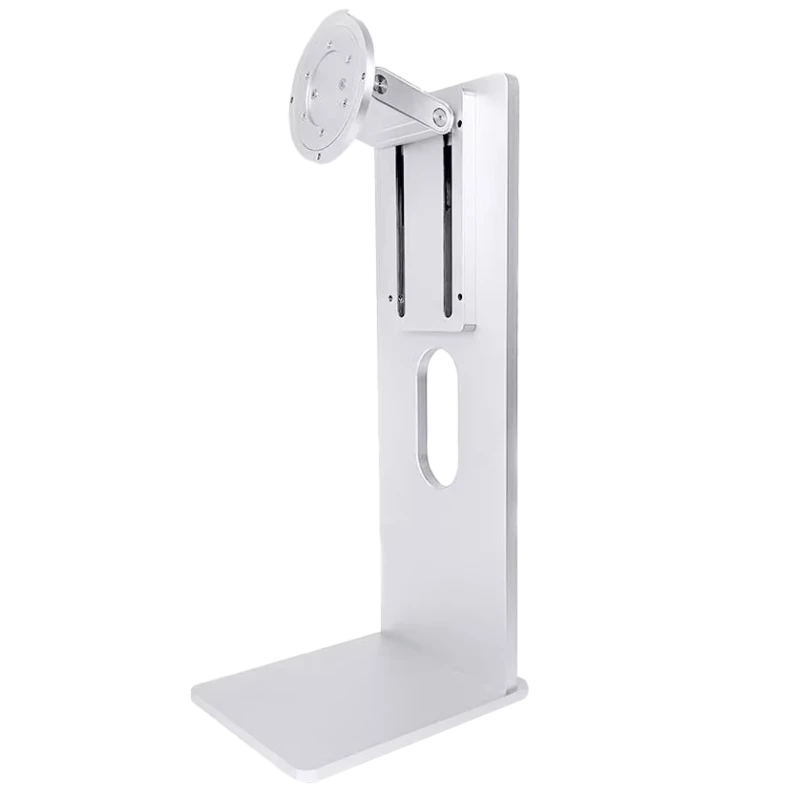
The special case that saves many situations: the universal VESA mount, a height-adjustable aluminium base that simply sits on the desk. No clamp, no drilling, no fixing. It takes a monitor from 24 to 40 inches up to 10 kg: it is the answer for a glass top, a fragile piece of furniture, a rented desk, or a top too thick for a clamp.
In pictures
The mounts in the range
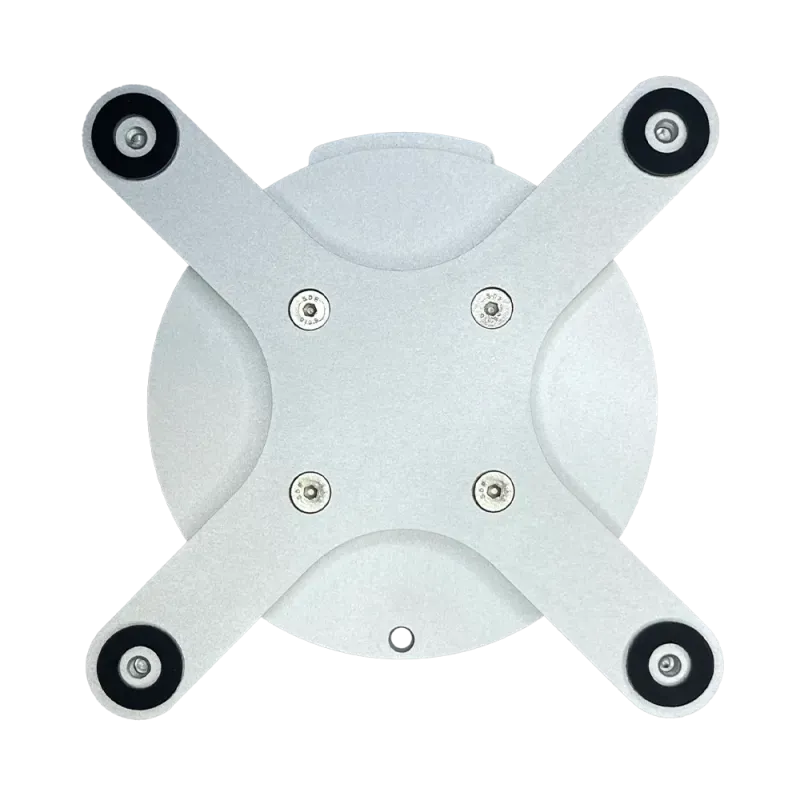
All in VESA 100 × 100, the mount supplied with every monitor.

Before ordering
The two numbers that count
The weight of the monitor, first. An arm advertised "up to 8 kg" will cope badly with a 32-inch weighing 12 kg: it will sag slowly, and the height adjustment will stop holding. Always keep a margin.
The adjustment range, next. An arm designed for a 24-inch may lack reach or counterweight with a large panel, even if the VESA mount is identical. Check the monitor size stated, not just the load.
| Model | Weight of monitor alone | Recommended arm capacity | Mounting |
|---|---|---|---|
| Kuycon P32T — 32" | 6,5 kg | 8 kg and above | VESA 100 × 100 |
| Kuycon G27P — 27" | 8,66 kg | 10 kg and above | VESA 100 × 100 |
| Kuycon G32P — 32" | 12 kg | 15 kg and above | VESA 100 × 100 |
| Universal VESA mount | — | up to 10 kg, 24 to 40" | VESA 100 × 100 |
Manufacturer weight without the stand. Check your model's product page before ordering a third-party mount.
Portrait mode, and what you need to know
Rotating 90 degrees turns a 27-inch into a vertical page: twice as many lines of code, a whole A4 page, vertical framing in photography. Kuycon stands provide it as standard; so do most arms. Just remember to change the orientation in the display settings after turning the monitor, otherwise the image stays on its side.
A detail people discover too late: in portrait, a 32-inch monitor becomes very tall. Check that the top of the panel stays below your line of sight, or your neck will pay the bill.
Routing cables neatly
- Leave slack. A cable pulled taut in the low position unplugs itself when you raise the monitor. Always leave the length needed for the arm's fullest reach.
- Route the cables through the arm when it is designed for it: that is what makes the difference between a tidy desk and a plate of spaghetti.
- One cable is often enough. On USB-C models, picture, peripherals and charging travel together; we detail that setup in the single-cable desk.
- Connect before mounting. Once the monitor is in place on an arm, reaching the sockets becomes acrobatic.
Mounting without scratching the panel
Lay the monitor face down on a soft surface
The packaging box or a thick towel. Never directly on a table: that is the move that scratches the most screens.
Screw on the VESA adapter
Supplied with the monitor. Tighten firmly without forcing: the thread is metal, there is no point straining it.
Click it onto the plate
Most arms use a quick-release plate. Check that the safety catch is engaged before letting go of the monitor.
Set the arm's tension
On a gas-spring arm, a tension screw is adjusted to the weight of the monitor. Badly set, it rises on its own or sags: two minutes of adjustment save months of irritation.
FAQ
Arms and mounts: frequently asked questions
Are Kuycon monitors compatible with every arm?
With every arm that uses the VESA 100 × 100 standard, that is the vast majority of the market. The adapter comes with the monitor. Just check the permissible load and the monitor size stated by the arm's manufacturer.
What arm capacity for a 32-inch?
It depends on the model: the P32T weighs 6.5 kg, the G32P 12 kg. Always keep a margin: an arm rated for 15 kg will hold a G32P over time, an arm rated for 10 kg will sag.
What if my desk cannot take a clamp?
The universal VESA mount: a height-adjustable free-standing aluminium base, taking a monitor from 24 to 40 inches up to 10 kg with no clamp and no drilling. It is the answer for a glass top or a fragile piece of furniture.
Is portrait mode possible?
Yes, Kuycon stands provide 90-degree rotation, and so do most arms. Remember to change the orientation in the display settings of macOS or Windows after turning the monitor.
Is a wall mount suitable for a 12 kg monitor?
Provided the wall allows it: a plain plasterboard partition does not offer sufficient anchoring for that weight cantilevered. On concrete or brick, with the right fixings, no problem.
Your monitor, exactly where you want it
VESA 100 × 100 adapter supplied with every monitor. Adjustable stands from €49.90, free-standing base with no drilling, 2-year warranty in the European Union.
See the mountsGuide written in August 2026. Weights and dimensions vary by model; check the product page before ordering a third-party mount.