

Previous
Next

Kuycon W34KB

SKU W34KB In stock 10 Items
Kč27,029.90
Tax excluded
Back design Standard
Power cable EU
Previous
Next

Kuycon W34KB

SKU W34KB In stock 10 Items
Kč27,029.90
Tax excluded
Back design Standard
Power cable EU

Kuycon W34KB 5K ultrawide 34-inch monitor for Mac

The width of two monitors. Up to 360 Hz.

From Kč27,029.90

Plain back, monitor only.

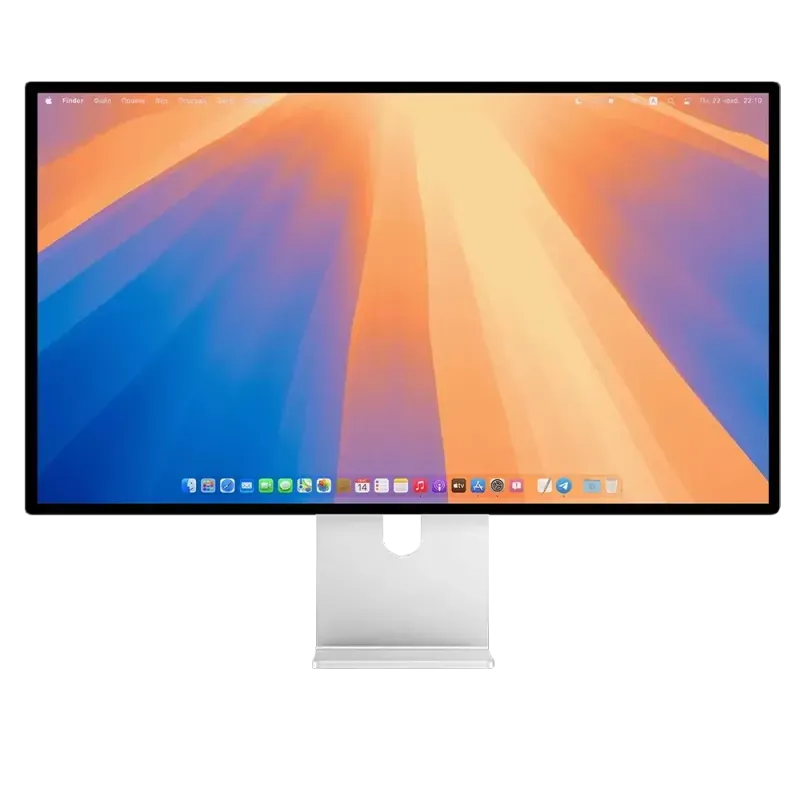
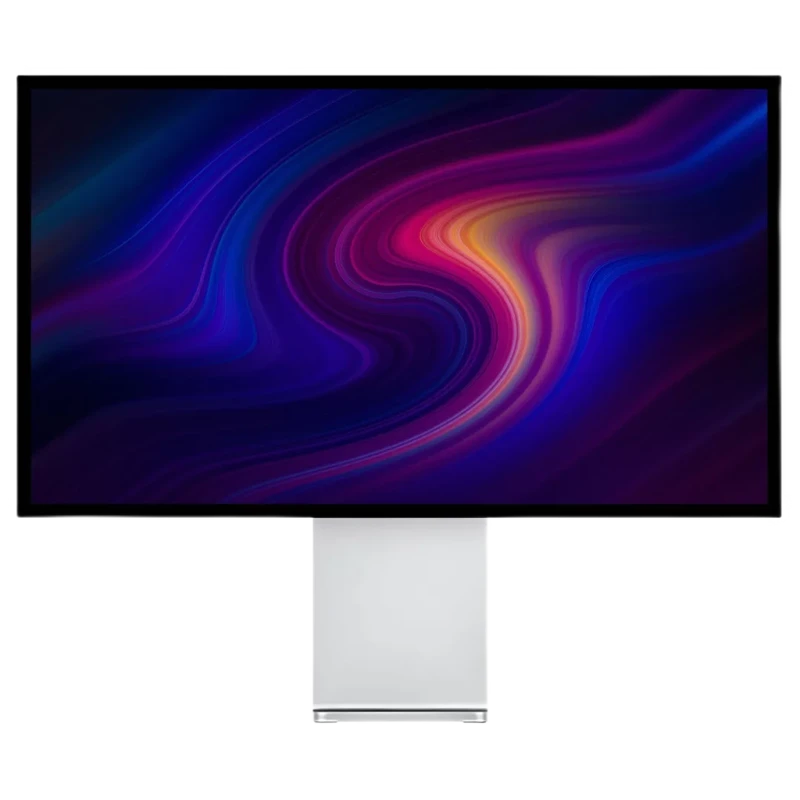
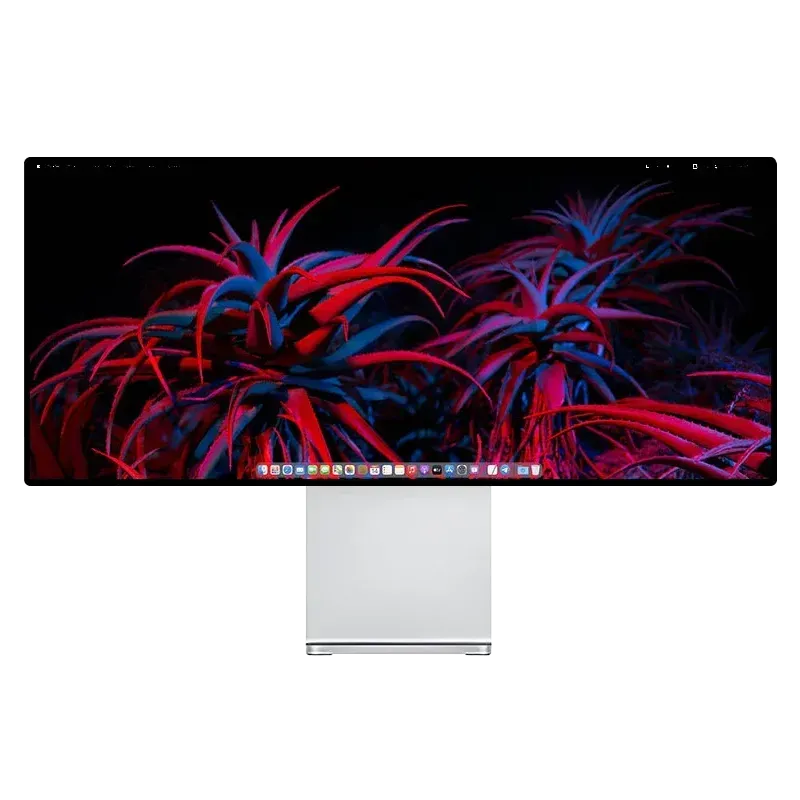
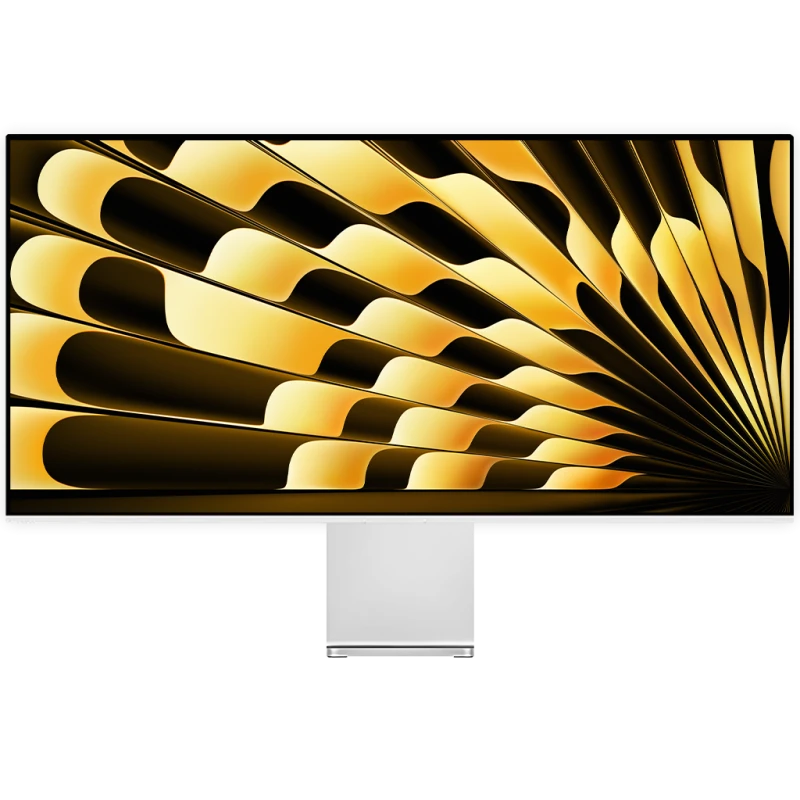
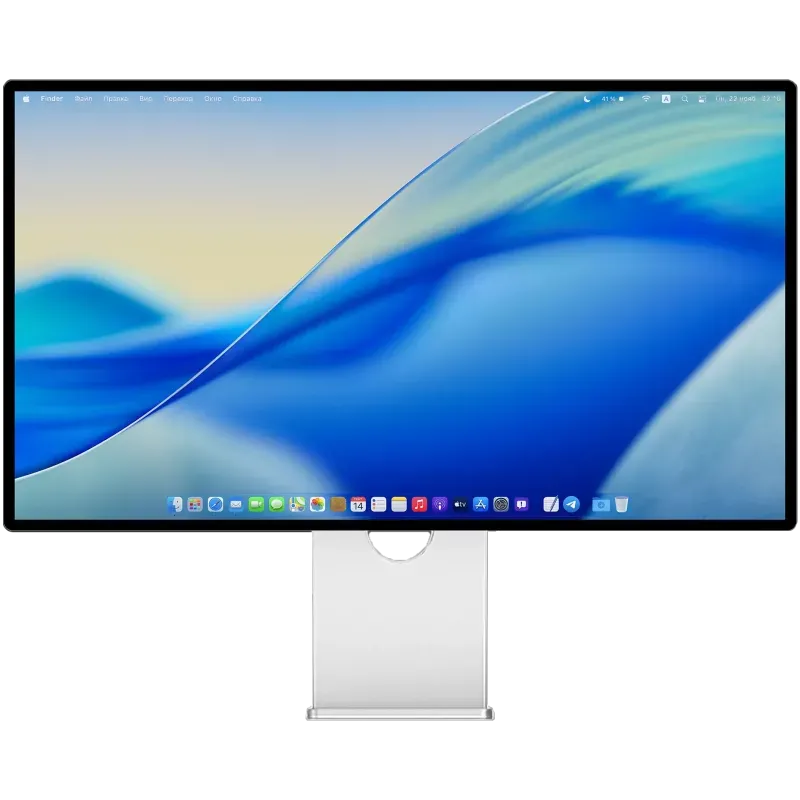
Front view of the Kuycon W34KB ultrawide monitor on its aluminum stand, showing the macOS desktop on a blue wallpaper
Shown with the optional Kuycon 34-inch stand.
  • 5120 × 2160 5K resolution, 11 million pixels
  • 34 inches 21:9 aspect ratio, 163 ppi
  • 180 Hz 5K / 360 Hz 2K 5120 × 2160 up to 180 Hz depending on the computer, or 2560 × 1080 up to 360 Hz
  • USB-C 100 W Video, data and charging over one cable

At a glance

The Kuycon W34KB, in 30 seconds.

The Kuycon W34KB is a 34-inch ultrawide monitor with a 21:9 aspect ratio, in 5K (5120 × 2160, 163 ppi), that goes up to 180 Hz in 5K and up to 360 Hz in 2K (2560 × 1080). Its Fast HVA panel delivers a 3300:1 contrast ratio, 450 nits across the whole screen and 10-bit color. A single USB-C cable carries video, data and up to 100 W of charging. Aluminum chassis, glass front, plain back or perforated back with speakers: for Apple Silicon Macs, PCs and consoles.

Resolution
5120 × 2160 pixels (5K), 11 million pixels, 163 ppi, 21:9 aspect ratio
Refresh rate
Up to 180 Hz in 5K depending on the computer and port, up to 360 Hz in 2K (2560 × 1080), 1 ms (GtG)
Panel
Fast HVA, glossy high-transmission glass, 450 nits full screen, 3300:1 contrast, HDR600
Color
10-bit, 99% sRGB, 98% DCI-P3, ΔE < 2, factory calibrated with a color report for each monitor
Connectivity
USB-C 40 Gbps (video, data and 100 W charging), DisplayPort 1.4, 2 × HDMI 2.1, 2 × USB-C, 3.5 mm jack
Compatible Macs
5K up to 165 Hz on Macs with M4 and later and on M2 and M3 Pro, Max and Ultra; 5K 60 Hz on M1, M2 and M3 Macs (details by chip)
Back
Plain, or perforated with built-in stereo speakers, your choice at purchase
Size and weight
820 × 356 × 22 mm, 6.55 kg without stand, VESA 100 × 100
Warranty
2 years worldwide, 14-day returns
Price
From Kč27,029.90, plain back, monitor only

Page written and checked by the Kuycon team, updated on . Specifications: user manual; Mac compatibility: Apple support pages.

The Kuycon W34KB from every angle.

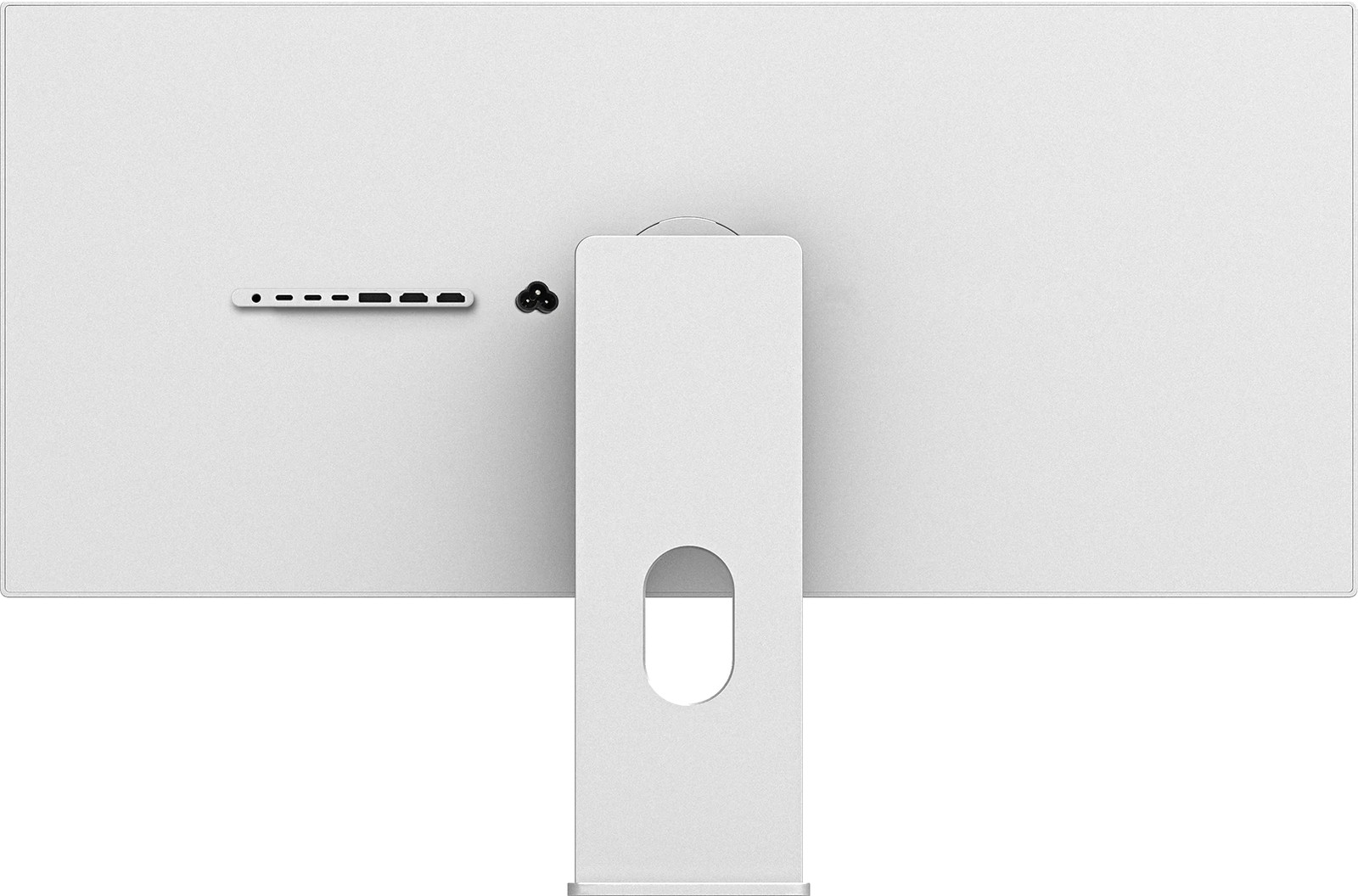
  • Three-quarter view of the perforated back of the Kuycon W34KB monitor: two strips of perforated aluminum, row of connectors, power socket and aluminum stand
    Perforated back: the speakers sit behind it.
  • Three-quarter view of the plain back of the Kuycon W34KB monitor: solid aluminum panel, row of connectors, power socket and aluminum stand
    Plain back: solid aluminum, no speakers.
  • Three-quarter front view of the Kuycon W34KB monitor, with thin bezels and an aluminum stand
    Three-quarter view: thin, even bezels on all four sides.
  • Perforated back of the Kuycon W34KB monitor seen straight on, with the central stand and the row of connectors
    From the back, perforated version.
  • Kuycon W34KB monitor rotated to portrait mode on its adjustable stand
    In portrait, with the optional adjustable stand.
  • Side view of the Kuycon W34KB monitor on its stand, showing the slim enclosure
    In profile: 22 mm thick.
  • Front view of the Kuycon W34KB monitor, 21:9 aspect ratio
    From the front: 21:9, the width of two monitors.

5K and 21:9

One monitor, the width of two. No bezel in the middle of your desktop.

The Kuycon W34KB displays 5120 × 2160 pixels on 34 inches: the width of a 5K display and the height of a 4K display, or 11 million pixels, a third more than a 4K display. Three apps fit side by side, each with room to work: a video editing timeline, a drawing, a photo retouch.

On a Mac, the W34KB runs in HiDPI: text and interface size are set in System Settings, Displays. At 163 ppi, it does not reach the density of 27-inch 5K displays (218 ppi): it trades a little sharpness for much more width.

Kuycon W34KB monitor showing three apps side by side: technical drawing software, video editing software and photo retouching software
5K 5120 × 2160
4K 3840 × 2160
Diagram to scale: at the same height, the W34KB adds 1280 pixels of width to a 4K display.
  • 11 million pixels, 33% more than a 4K display
  • 5120 pixels wide, as many as a 5K display
  • 80 cm of panel width, a third more than a 27-inch display

Dual mode

5K up to 180 Hz. Or 2K at 360 Hz for gaming.

The W34KB works in two modes: 5K (5120 × 2160) up to 180 Hz, or 2K (2560 × 1080) up to 360 Hz, exactly half of 5K on each axis. Each pixel displayed in 2K covers 2 × 2 pixels of the panel, with no interpolation blur. You switch from one mode to the other in the monitor's menu or with the remote.

  • Create and work180 Hz5120 × 2160, 5K

    The full width and all the sharpness, with smooth scrolling.

  • Gaming360 Hz2560 × 1080, 2K

    For fast-paced games, 1 ms (GtG), VRR: AMD FreeSync and G-Sync compatible.

5K · up to 180 Hz
2K 2560 × 1080 · 360 Hz
Diagram to scale: in 2K, each displayed pixel covers exactly 2 × 2 pixels of the 5K panel.

The refresh rate you get depends on the computer and the port. On a Mac, see the table by chip. On a PC, 5K at 180 Hz goes through DisplayPort 1.4 with DSC, HDMI 2.1 (48 Gbps) or USB-C, with a compatible graphics card.

Front view of the Kuycon W34KB monitor on its aluminum stand

Work on Mac or PC

5K 180 Hz

5120 × 2160, the full width and all the sharpness

34 inches. 5K at 180 Hz. 2K at 360 Hz.

A glossy panel under high-transmission glass, in a 22 mm thick aluminum chassis. You switch from one mode to the other in the monitor's menu or with the remote.

Brightness and contrast

A 3300:1 contrast ratio. Truly black blacks.

The W34KB's Fast HVA panel reaches a native contrast ratio of 3300:1, more than three times that of a typical IPS panel (1000:1). Dark scenes keep their depth across the full width of the screen, with 450 nits held over the whole surface.

  • 3300:1 Native contrast
  • 450 nits Full screen
  • HDR600 HDR10 over USB-C, DisplayPort and HDMI

Good to know: no local dimming and no Mini-LED backlight. HDR can be turned off in the monitor's menu. Like any glossy screen, the W34KB reflects a window placed opposite it: it works best in a room without strong direct light.

Kuycon W34KB monitor on a black background showing a dark marbled pattern in black, gray and gold, to illustrate contrast

Color

Over a billion colors. Every monitor factory calibrated.

The W34KB displays 10-bit color, or 1.07 billion shades. It covers 99% of sRGB, the web standard, and 98% of DCI-P3, the digital cinema gamut with the same primaries as the Display P3 of Macs. Every monitor leaves the factory with its own calibration report and a ΔE below 2.

  • 10-bit 1.07 billion colors
  • 98% DCI-P3
  • 99% sRGB

The monitor's menu offers calibrated sRGB and DCI-P3 modes, a gamut limiter for working in sRGB, an M-BOOK mode and a grayscale mode. Tip: the first time you connect it, choose the monitor's color profile in System Settings, or adjust it with a colorimeter or an app like BetterDisplay.

Kuycon W34KB monitor on a black background showing highly saturated swirls of pink, orange, yellow and blue, to illustrate color richness

Connectivity

5K USB-C 100 W monitor. One cable for video, data and charging.

On the W34KB's USB-C port, a single cable carries the 5K picture, charges the MacBook at up to 100 W and connects the monitor's two USB-C ports. For a PC or a console: one DisplayPort 1.4 and two HDMI 2.1.

Close-up of the row of connectors on the back of the Kuycon W34KB: a headphone jack, three USB-C ports, a DisplayPort, two HDMI ports, then the power socket
Row of connectors on the back of the W34KB, from left to right.
  • USB-C upstream

    40 Gbps, DisplayPort Alt Mode up to 5K 180 Hz HDR depending on the computer, USB data and USB Power Delivery charging up to 100 W. Compatible with Thunderbolt 4 and 5, and USB4.

  • DisplayPort 1.4

    HBR3 (32 Gbps), with DSC. 5K at 180 Hz with a compatible graphics card.

  • 2 × HDMI 2.1

    48 Gbps (FRL). 5K at 180 Hz on a PC; a PS5 or an Xbox Series X|S at 4K 60 Hz HDR.

  • 2 × USB-C downstream

    USB 2.0 (480 Mbps), 5 V 2 A: keyboard, mouse, USB drive.

  • 3.5 mm jack

    Audio output for headphones or speakers.

  • Built-in power supply

    A single power cord, no external power brick. EU, UK, US, AU or CN plug, your choice.

The monitor's USB-C port connects to the Thunderbolt 3, 4 or 5 and USB4 ports of Macs and PCs. For high refresh rates, use the included cable or a USB4 cable; for 100 W charging, a 5 A USB-C cable with an e-marker chip. On a PC, 5K at 180 Hz requires a DisplayPort 1.4 output with DSC or better, or HDMI 2.1 at 48 Gbps: NVIDIA GeForce GTX 1650 and newer, AMD Radeon RX 5500 and newer. Intel graphics cards display the W34KB, without reaching 5K at 180 Hz.

Mac compatibility

Which Macs display the W34KB in 5K? All Macs with an M-series chip. The refresh rate depends on the chip.

Every Apple Silicon Mac, from the M1 chip to the M5 chip, displays the W34KB in 5K over a single USB-C cable, with 100 W charging. It goes up to 165 Hz in 5K on Macs with M4 and later, as it does on M2 Pro, M2 Max, M2 Ultra, M3 Pro, M3 Max and M3 Ultra; it stays at 60 Hz on M1 (all versions), M2 and M3.

Maximum refresh rate of the Kuycon W34KB in 5K by Mac chip
Chip5K refresh rate
M4, M4 Pro, M4 Max and later including M5 and M5 Ultra5K 165 Hz a single USB-C cable
M5 Pro, M5 Max*5K 165 Hz*
M2 Pro, M2 Max, M2 Ultra, M3 Pro, M3 Max, M3 Ultra5K 165 Hz a single USB-C cable
M35K 60 Hz
M25K 60 Hz
M1, M1 Pro, M1 Max, M1 Ultra5K 60 Hz
iPad Pro (M5)5K 60 Hz USB-C
MacBook Neo A18 Pro chip4K 60 Hz max no 5K

Maximum refresh rate of the W34KB in 5K by chip, with a single external display connected. Apple guarantees a 5120 × 2880 display up to 120 Hz from M4 chips onward, and 60 Hz before that; 165 Hz is the refresh rate observed on a Mac in 5K over a single USB-C cable.

  • * MacBook Pro with M5 Pro and M5 Max. Since March 2026, users of displays from several brands have reported a macOS bug: over USB-C or Thunderbolt, displays set above 60 Hz can drop back to 60 Hz, sometimes 100 Hz. Apple has not released any fix to date; macOS 27 Golden Gate should normally fix it. In the meantime, the Mac's HDMI port, with an Ultra High Speed HDMI cable, works around the problem. The base M5, MacBook Air and Mac mini with M4 are not affected. The bug and its workarounds
  • Multiple displays. With two or more external displays, Apple limits each display to 6K 60 Hz or 4K 144 Hz on M4 and M5 chips: the W34KB then drops back to 60 Hz in 5K.

Design

Aluminum and glass. A plain back, or perforated for sound.

The W34KB's chassis is machined from 6063 aluminum, sandblasted then anodized; the front is a single sheet of glass. You choose the back when you buy: plain, in solid aluminum, or perforated, with built-in stereo speakers behind the perforations.

  • CNC-machined 6063 aluminum, sandblasted and anodized
  • Glossy high-transmission glass
  • 22 mm thick, thin, even bezels on all four sides
  • Perforated back: built-in stereo speakers
  • Plain back: no speakers
Perforated back of the Kuycon W34KB: two strips of perforated aluminum with the speakers behind them, row of connectors and central stand
Plain back of the Kuycon W34KB: solid aluminum panel, row of connectors and central stand
PlainPerforated

Drag to switch from the plain back, in solid aluminum, to the perforated back, with speakers.

Dimensions

Dimensioned diagram of the back of the Kuycon W34KB monitor: 820 mm wide and 356 mm high without the stand
Side-view diagram of the Kuycon W34KB monitor on its stand, with the enclosure thickness marked at 22 mm
Width
820 mm
Height without stand
356 mm
Thickness
22 mm
Weight (monitor only)
6.55 kg
Mounting
VESA 100 × 100 mm

Mounting

On a stand, an arm or a wall. Even in portrait.

The W34KB mounts to a 100 × 100 VESA pattern on a monitor arm or a wall mount. The Kuycon 34-inch stand, fixed or height-adjustable, can be added as an option at purchase.

  • 100 × 100 VESA mountFree

    Monitor arm or wall mount.

  • Fixed standOptional

    Fixed-height stand.

  • Height-adjustable standOptional

    Height, tilt and rotation to portrait mode.

The Kuycon 34-inch stand · Monitor arms and VESA mounts

Kuycon W34KB monitor rotated to portrait mode on its adjustable stand Side view of the Kuycon W34KB monitor on its adjustable stand

Control from your computer

Adjust brightness from your keyboard.

The W34KB supports the DDC/CI protocol: you can adjust brightness from your computer, with the keyboard keys or the menu bar, without using the remote.

  • MonitorControl macOS
  • BetterDisplay macOS
  • Twinkle Tray Windows
  • ddcutil Linux

The monitor's menu opens with the included infrared remote: left arrow to switch mode (180 or 360 Hz), up and down for brightness, back to change input. Batteries not included: 1 CR2025 battery for the white remote, 2 LR03 batteries (AAA) for the black one.

Install and set up the apps · Which batteries to buy

Comparison

Wider than a Studio Display? The W34KB against the Studio Display and the P27Z, by the numbers.

The Kuycon W34KB has as many pixels in width as Apple's Studio Display, 5120, on a 34-inch 21:9 panel that goes up to 180 Hz, while the Studio Display stays at 60 Hz. 27-inch 5K displays keep the edge on density, 218 ppi against 163.

Side-by-side figures for the Kuycon W34KB, the Apple Studio Display and the Kuycon P27Z
Kuycon W34KBApple Studio DisplayKuycon P27Z
Size34 inches, 21:927 inches, 16:927 inches, 16:9
Resolution5120 × 21605120 × 28805120 × 2880
Density163 ppi218 ppi218 ppi
Screen width820 mm623 mm618 mm
Refresh rateUp to 180 Hz in 5K, 360 Hz in 2K 165 Hz on Macs with M2 Pro and later60 HzUp to 180 Hz in 5K, 330 Hz at 2560 × 1440 165 Hz on Macs with M4 and later
PanelFast HVANot publishedFast IPS
SDR brightness450 nits600 nits600 nits
Contrast3300:1Not published1500:1
HDRHDR600, HDR10Not statedHDR600, HDR10
Color10-bit, 99% sRGB, 98% DCI-P31 billion colors, P310-bit (8-bit + FRC), 99% sRGB, 98% DCI-P3
SurfaceGlossy glassGlossy glass, optional nano-textureAnti-reflective glossy glass
ConnectivityUSB-C 100 W, DisplayPort 1.4, 2 × HDMI 2.1, 2 × USB-C, audio jack2 × Thunderbolt 5 (96 W), 2 × USB-CUSB-C 100 W, DisplayPort 2.1, 2 × HDMI 2.1, 2 × USB-C, audio jack
SpeakersStereo (perforated back only)Six speakersStereo (perforated back only)
Built-in cameraNo12 MpxNo
Weight without stand6.55 kg5.40 kg5.2 kg
PriceKč27,029.90 plain back, monitor only, excluding shipping and import fees (no taxes charged)from €1,699 Apple France price, tax-inclusiveKč25,829.90 plain back, monitor only

Where the W34KB goes further

  • The width of two monitors, with no bezel in the middle
  • Up to 180 Hz in 5K, and a 360 Hz mode for fast-paced games
  • A 3300:1 contrast ratio, more than twice that of the P27Z
  • DisplayPort and two HDMI 2.1 for a PC or a console

Where a 27-inch 5K display keeps the edge

  • A density of 218 ppi, for even finer text
  • 600 nits against 450
  • The 12 MP camera and the six speakers of the Studio Display
  • Less desk space taken up

Sources: Studio Display tech specs (apple.com), checked on October 22, 2026. Apple prices: public prices checked on October 21, 2026 on the Apple website of the country shown, with local taxes, except in the United States and Canada, where Apple lists prices before sales tax. Kuycon W34KB and P27Z: user manuals and product pages. Kuycon does not charge any taxes: shipping is added; with DDP, import fees are paid in advance along with it; with DAP, VAT and duties are paid on delivery.

Reviews of the W34KB.

Kuycon W34KB, 5K ultrawide 34-inch monitor

Customer reviews

The W34KB has been available since September 2026.

Bought one? Your review will help future buyers.

Reviews are published after verification, with the text left unedited.

Write a review
Front view of the Kuycon W34KB monitor on its aluminum stand

Kuycon W34KB

34 inches · 5K · up to 180 Hz · aluminum and glass

From Kč27,029.90

  • 2-year warranty worldwideWhatever the delivery country. Warranty details
  • No taxes chargedDDP (import fees paid in advance) or DAP (taxes paid on delivery), depending on your country. Taxes and customs
  • Express from our EU warehouse48 to 96 h to EU countries, subject to stock availability; otherwise from the factory. Delivery times
  • 14 days to change your mindReturn it complete, in its original packaging. Returns

Sold by Reboot Global Corporation Limited, an authorized Kuycon reseller.

Kuycon W34KB technical specifications

Display

Size34 inches, 21:9 aspect ratio
Resolution5120 × 2160 pixels (5K), 11 million pixels
Pixel density163 ppi, HiDPI rendering on macOS
Panel typeNext-generation Fast HVA, LED backlight
Refresh rateUp to 180 Hz in 5K (depending on the computer and port), up to 360 Hz in 2K (2560 × 1080)
Response time1 ms (GtG), overdrive
Variable refresh rateVRR: AMD FreeSync, G-Sync compatible
Brightness450 cd/m² (nits), full screen
Contrast3300:1 (native)
HDRHDR600, HDR10 over HDMI, DisplayPort and USB-C, can be turned off; no local dimming
SurfaceGlossy high-transmission glass
Eye comfortBlue light reduction

Color

Color depth10-bit, 1.07 billion colors
Gamut99% sRGB, 98% DCI-P3
AccuracyΔE < 2, factory calibration, calibration report for each monitor
ModessRGB, DCI-P3, M-BOOK, grayscale; gamut limiter

Connectivity

USB-C upstream40 Gbps, DisplayPort Alt Mode, up to 5K 180 Hz HDR depending on the computer, USB data, USB Power Delivery charging up to 100 W; compatible with Thunderbolt 4 and 5, and USB4
DisplayPort1 × DisplayPort 1.4 (HBR3, 32 Gbit/s), DSC
HDMI2 × HDMI 2.1 (48 Gbit/s, FRL)
USB-C downstream2 × USB-C, USB 2.0 (480 Mbps), 5 V 2 A
Audio3.5 mm audio output; built-in stereo speakers on the perforated back only
ControlsDDC/CI, infrared remote included

Compatibility

Apple Silicon Mac (M-series chip)5K 165 Hz on Macs with M4 and later and on M2 Pro, M2 Max, M2 Ultra, M3 Pro, M3 Max and M3 Ultra; 5K 60 Hz on M1 (all versions), M2 and M3. Apple guarantees a 5K display up to 120 Hz from M4 chips onward, over Thunderbolt or HDMI, and 60 Hz before that. Details by chip
MacBook Pro with M5 Pro and M5 MaxmacOS bug: may drop to 60 Hz over USB-C when set above 60 Hz; the Mac's HDMI port works around it. Details
iPad Pro (M5)5K 60 Hz
MacBook NeoOne external display up to 4K 60 Hz (Apple)
PC5K up to 180 Hz over DisplayPort 1.4 with DSC, over HDMI 2.1 (48 Gbps) or over USB-C
PC graphics cardsCompatible at 5K 180 Hz: NVIDIA GeForce GTX 1650 to RTX 2080 Ti, RTX 30, 40 and 50 series; AMD Radeon RX 5500 to RX 6900 XT, RX 7700 to RX 9070 XT. Not supported: NVIDIA Maxwell and Pascal, AMD Polaris and Vega. Intel graphics cards: display works, without 5K at 180 Hz.
ConsolesPS5, PS4 Pro and Xbox Series X|S at 4K 60 Hz HDR over HDMI
Operating systemsmacOS, Windows (HDR: Windows 10 version 1803 or later), Linux

Power supply

Power supplyBuilt in, one power cord, 100 to 240 V
Power consumption55 W in typical use, 165 W at most (USB-C charging included)

Dimensions and weight

Monitor without stand820 × 356 × 22 mm (W × H × D)
Weight (monitor only)6.55 kg
ChassisCNC-machined 6063 aluminum, sandblasted and anodized; plain or perforated back
MountingVESA 100 × 100 mm; fixed or height-adjustable stand optional

In the box

  • Kuycon W34KB monitor
  • Infrared remote, batteries not included (white remote: 1 CR2025 battery; black remote: 2 LR03 batteries, AAA size)
  • 1.8 m power cord, EU, UK, US, AU or CN plug, your choice
  • 1 m USB-C cable
  • 1.5 m DisplayPort cable
  • 1.5 m HDMI cable
  • 2 USB-C OTG adapters

Stand not included: available as an option at purchase.

Warranty and references

Warranty2 years worldwide
Returns14 days after delivery
Model numberW34KB

Documents

Specifications

Apple compatibility Mac with Apple silicon: M1 and later, 5K2K (5120 × 2160) over a single Thunderbolt 4/5 or USB-C cable (maximum refresh rate depends on the Mac's chip) iPad Pro: 5K2K over a single USB-C cable - Mac with AMD discrete graphics: 180 Hz not supported
Box contents Remote control batteries not included, despite the PDF user manual: white remote 1× CR2025, black remote 2× LR03 (AAA)

Guides

Customer reviews
Customer reviews
No customer reviews for the moment.

Frequently asked questions

Which Macs display the W34KB in 5K, and at what refresh rate?
All Macs with M1 to M5 chips display it in 5K over a single USB-C cable, with 100 W charging. The W34KB goes up to 165 Hz in 5K on Macs with M4 and later, as well as on M2 Pro, M2 Max, M2 Ultra, M3 Pro, M3 Max and M3 Ultra; it stays at 60 Hz on M1 (all versions), M2 and M3. Apple, for its part, guarantees a 5K display up to 120 Hz from M4 chips onward, and 60 Hz before that. The MacBook Neo is limited to a 4K display at 60 Hz.
Is my MacBook Pro with M5 Pro or M5 Max affected by the high refresh rate display bug?
Yes, it can be. Users of displays from several brands report that over USB-C or Thunderbolt, macOS sometimes brings displays set to a higher refresh rate back down to 60 Hz. Apple has not released any fix to date; macOS 27 Golden Gate should normally fix it. In the meantime, connect the W34KB to the Mac's HDMI port with an Ultra High Speed HDMI cable. The base M5 is not affected.
What do you need to reach 5K at 180 Hz?
On a PC, a DisplayPort 1.4 output with DSC (or DisplayPort 2.1), or HDMI 2.1 at 48 Gbps, with an NVIDIA GeForce GTX 1650 or newer graphics card, or an AMD Radeon RX 5500 or newer. NVIDIA Maxwell and Pascal cards, AMD Polaris and Vega cards do not support it; Intel graphics cards display the monitor without reaching 180 Hz in 5K. On a Mac, see the question on compatibility.
Is the 360 Hz mode in 5K?
No. The 360 Hz mode runs in 2K (2560 × 1080), exactly half of 5K on each axis: each displayed pixel covers 2 × 2 pixels of the panel, with no interpolation blur. You switch from one mode to the other in the monitor's menu or with the remote; the screen goes black for a second or two during the change.
What is the difference between the plain back and the perforated back?
The perforated back hides built-in stereo speakers; the plain back, in solid aluminum, has none. The panel, ports and refresh rates are identical. You choose the back when you buy.
Is one cable enough to connect a MacBook?
Yes. The included USB-C cable carries the 5K picture, up to 100 W of charging and the data for the monitor's two USB-C ports. For 100 W charging with another cable, choose a 5 A USB-C cable with an e-marker chip.
What ports does the W34KB have?
One USB-C upstream port at 40 Gbps (video, data and 100 W charging), one DisplayPort 1.4 with DSC, two HDMI 2.1 at 48 Gbps, two USB-C downstream ports at USB 2.0 speed and a 3.5 mm jack output. The power supply is built in.
Is the stand included?
No. The monitor mounts to a 100 × 100 VESA pattern on an arm or a wall mount. The fixed stand or the height-adjustable stand, which also allows rotation to portrait mode, is an option you choose when you buy.
Is the screen glossy or matte?
Glossy, with high-transmission glass. Like any glossy screen, it reflects a window placed opposite it: it works best in a room without strong direct light.
Does the W34KB support HDR?
It is HDR10 compatible over HDMI, DisplayPort and USB-C, at the HDR600 level and with 450 nits full screen. It has no local dimming and no Mini-LED backlight. HDR can be turned off in the monitor's menu.
Is text as sharp as on a 27-inch 5K display?
Not quite. The W34KB displays 163 pixels per inch, against 218 for a 27-inch 5K display. It stays sharp in HiDPI on a Mac, and offers much more width in return: 5120 pixels, as many as a 5K display.
Does the W34KB replace the G34W?
Yes. It keeps the G34W's 5K on 34 inches, which was limited to 60 Hz, and adds the 180 Hz and 360 Hz dual mode, a 3300:1 contrast ratio, HDR600 and a single USB-C cable with 100 W charging.
Can I connect a PC or a console?
Yes. A PC connects over DisplayPort, HDMI 2.1 or USB-C. A PS5, a PS4 Pro or an Xbox Series X|S displays in 4K at 60 Hz HDR over HDMI.
Does the W34KB have a camera?
No. For video calls, use your Mac's camera or an external camera.
What warranty do I get, and will I pay taxes?
2-year warranty worldwide. Kuycon does not charge any taxes: at checkout, you choose DDP (import fees paid in advance, nothing to pay on arrival) or DAP (VAT and duties paid to the carrier on delivery), depending on the options available in your country.
How long does delivery take?
To an EU country, express delivery from our EU warehouse takes 48 to 96 h, subject to stock availability. Otherwise, the monitor ships from the factory: 5 to 10 business days by Air Express DAP, 10 to 20 business days by Air Express DDP, 30 to 40 business days by truck with DDP. You then have 14 days to change your mind.